MakeUGC review: what it does, what it costs and when you need more
By Anastasios Kosulin · Published November 9, 2026
MakeUGC is an AI tool that makes UGC-style video ads. You give it a script and a product image, and an AI avatar says your lines with lip-sync. It suits ad testing well, but it won't plan, caption or post a daily social feed for you.
This review covers how the tool works, how to work out what it really costs per month, where the one-video-at-a-time approach stops, and what a daily feed takes. We won't print MakeUGC plan prices here, because they change and you should read them on MakeUGC's own site on the day you buy. If you sell online, our ecommerce social media guide covers the wider plan.
What is MakeUGC?
MakeUGC is an AI video platform for UGC-style ads, the clips where a person talks to camera about a product. Instead of hiring creators, you pick an AI avatar. You get a short vertical ad you can run on social platforms.
The tool has grown past plain talking heads. Its site and the reviews ranking for this search point to many languages, product-in-hand shots, B-roll, custom voices and newer video models. MakeUGC also pitches an AI workflow feature: you describe the ad you want and it builds the steps, including hooks and static ads.
How does MakeUGC work?
You choose or generate an avatar, add a script and a product image, then generate. A finished UGC-style video comes out. That's the full loop for one ad.
It's fast when you already know what to say. Testing ten hooks for one product means swapping the script and running it ten times. Every video starts from your input, though. The tool won't decide which product to feature tomorrow or what angle to try next week.
What does MakeUGC cost?
MakeUGC sells paid plans that come with credits, and each video you generate spends credits. Plans, credit counts and trial offers change, so check the current numbers on MakeUGC's site before you buy. What you can control is how you judge the price.
The number that matters is cost per usable video. Take the monthly plan price and divide it by the videos its credits really cover. Then count redos: if some takes need a second run, each usable video costs more than the plan page suggests.
For ad testing, that per-video figure is enough, because you make a batch and stop. For daily posting, you need a plan that covers at least 30 usable videos a month. Then add your own hours for captions, hashtags and publishing, since none of that comes with the credits.
What are MakeUGC's strengths and limits?
The strengths are a low-cost way to start and quick output. The limit reviewers raise most is the lack of a built-in editor. Some reviews also report refund complaints, so read the refund terms before you buy a larger plan.
No editor means a bad cut or a wrong caption gets fixed in another app. That's normal for an ad team with an editor on staff. For a small business that wanted one tool to handle the job, it's extra work every week.
Is MakeUGC the right tool for organic daily posting?
Mostly no. It's built around single ad videos, and an organic feed needs a steady mix of posts every day. You can post its videos organically, but the planning and publishing stay on you.
Look at what's left after you hit generate. A caption for each platform. Hashtags. Uploading to every account. Deciding tomorrow's product and hook. Do that daily and the video becomes the smallest part of the work.
There's a content problem too. A good ad repeats one pitch for one product, which is exactly what you want in a test. Run that same pitch in your feed every day and followers tune out fast.
What does a daily social content set actually need?
A daily feed needs more than one format, a fresh angle each day and captions written for each platform. Someone also has to post it on time. One talking-head ad covers a slice of that.
A full day of content usually includes these pieces:
- Product images built from real product photos
- A carousel that tells a short story or teaches one thing
- A short vertical video with captions
- A caption and hashtags shaped for each platform
- A posting time and the actual publish on each connected account
What does 30 days of content cost with each tool?
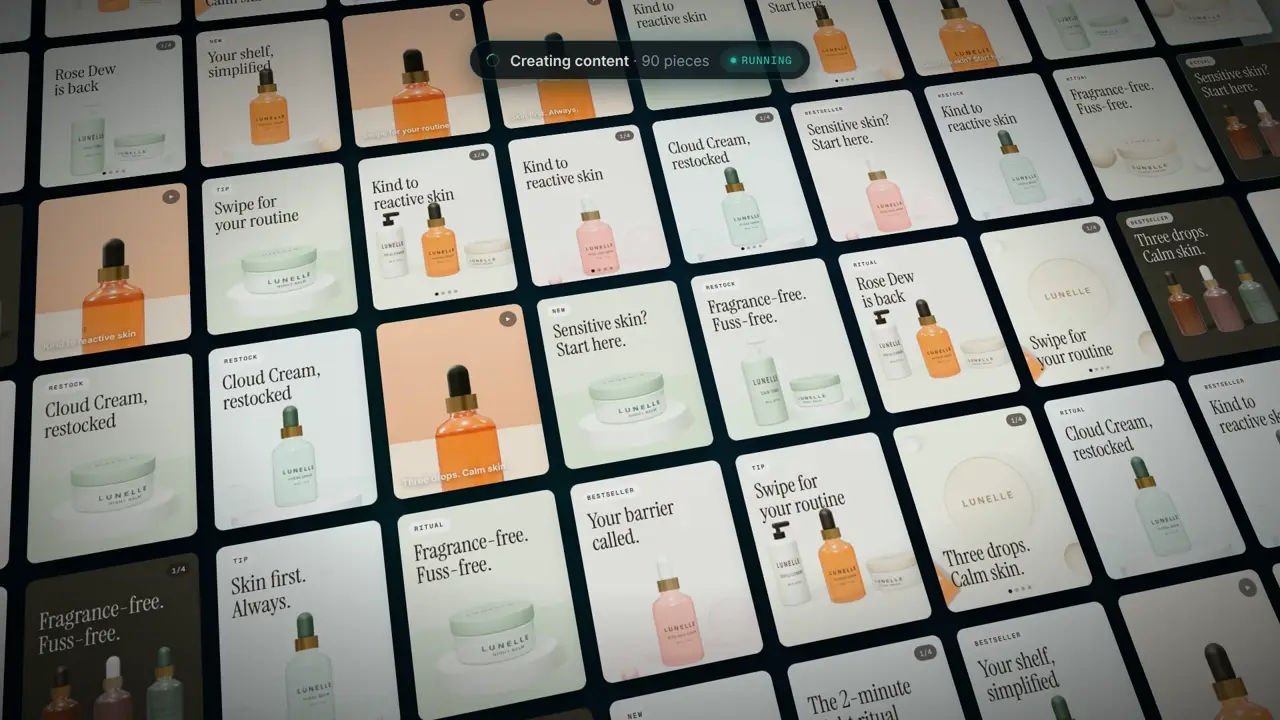
On Bravio's Growth plan, 30 days of video costs $199, about $6.63 per video. That price also covers 60 product images, 30 carousels, captions, hashtags and posting. With a credit-based ad tool, your monthly cost is your price per usable video times 30, and the rest of the work is yours.
Bravio's other plans: Lite is $49 a month for images and carousels, no video. Starter is $99 with 12 videos, or $8.25 a video. Agency is $549 for 3 brands and 90 videos, one a day per brand. Yearly billing is 10 months for 12, so Growth comes to $1,990 a year, about $166 a month. The full list is on the pricing page.
Here's how the two tools compare side by side:
| MakeUGC | Bravio | |
|---|---|---|
| Main job | UGC-style video ads | Daily organic social content |
| Starting point | Avatar, script and product image | Your website URL |
| Output | One video per generation | Two images and a carousel daily, plus video on video plans |
| Captions and hashtags | You write them | Written for each platform |
| Posting | You upload it | You approve each post, or it posts daily at your time |
| Fixing a piece | No built-in editor, fix it in another app | No manual editor; ask for a new version with a short note, or re-edit a video with a new cut, captions and music |
| Your own face | Not covered here | Not supported, 14 premade presenters only |
| Cost for 30 videos a month | Price per usable video times 30 | $199 on Growth |
How does Bravio approach daily content differently?
Bravio starts from your website instead of a script. You paste your URL once, with no brief or kickoff call, and it learns your products, offers, audience and tone from what your site says. Then it makes a content set every day and can post it.
Each day features a different product or feature with a new hook, so the feed doesn't repeat itself. Shopify stores get catalog and best-seller rotation, and SaaS teams get walkthrough videos recorded from the public parts of their app. You can also add your own screen recordings and product clips. For UGC-style talking clips there are 14 premade AI presenters with human-sounding voices, and you can keep one presenter per brand. The AI reel maker page shows the video side.
It posts to TikTok, Instagram, Facebook, Pinterest, LinkedIn and YouTube Shorts, and on Instagram it DMs your link to anyone who comments a keyword. New brands start in manual mode, so nothing goes live until you press Publish. The posting side is on the social media automation page.
The limits are real. Premade presenters only, no face uploads, no manual editor, no ads management and no free content plan. The website scan and brand profile are free, with no credit card.
Do you have to label AI-generated UGC-style videos?
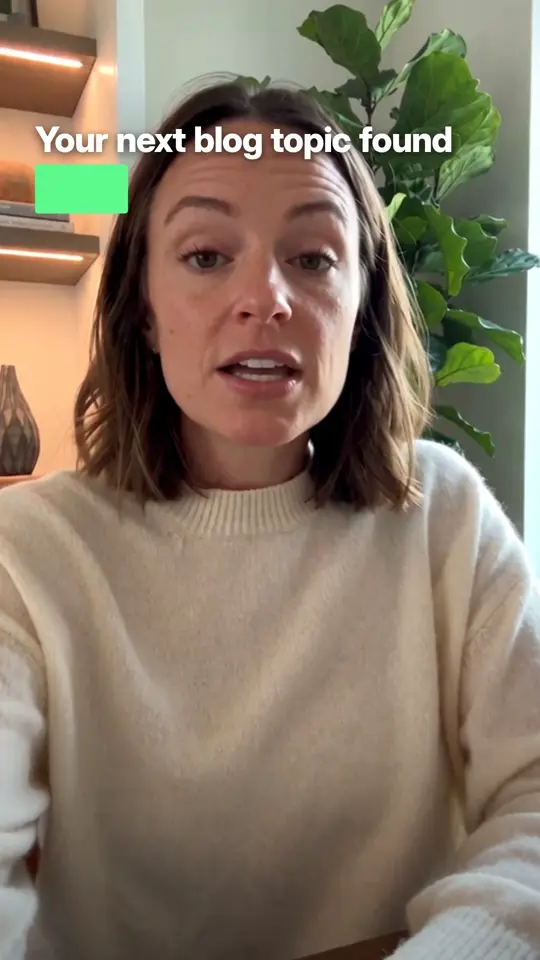
On TikTok and YouTube, yes, when the video looks realistic. TikTok and YouTube ask creators to label realistic AI-generated or altered media. A lifelike avatar talking to camera falls squarely in that zone, whichever tool made it.
Post MakeUGC videos yourself and the label is your job on each upload. Bravio sets the label when it posts to TikTok and YouTube, but you're still the account owner, so check the current policy on each platform, including Instagram and Facebook. Labeled AI content follows the same rules as any other post. Skipping the label is what gets you in trouble.
Which tool should you choose for your business?
Pick MakeUGC if your main job is paid ad testing and you want many avatar ad versions fast. Pick a daily content tool if you need a feed that fills itself every day. Some brands use both.
If you run ads with a media buyer and an editor, a UGC generator slots into that setup. If you're a store owner or a SaaS team with no social person, the hard part is showing up every day, and one great ad doesn't fix that. We compare similar ad-first tools in Bravio vs Arcads and Bravio vs Creatify, with a wider roundup on the best AI platform for social media content.
The cheapest test is free: paste your site into Bravio's scan and read the brand profile it builds before you pay for anything.
Questions
- What is MakeUGC used for?
- MakeUGC is used to create UGC-style video ads with AI avatars that lip-sync a script. You pick an avatar, add a script and a product image, and it generates the video. Most buyers use it to test ad hooks without hiring human creators.
- Is MakeUGC worth it?
- It's worth it if you need many ad variations of one product and already have someone to edit, caption and post them. It's a weaker fit for small teams that want a full daily feed, because each video is a single ad and the rest of the work stays with you. Judge it by cost per usable video, including redos.
- Does MakeUGC have a free trial?
- MakeUGC has promoted low-cost trial offers and discount codes, but offers change. Check the current plans and trial terms on MakeUGC's own website before you sign up. Read the refund policy before buying a larger plan.
- Can I use MakeUGC videos for organic social posts?
- Yes, but the tool is built for single ad videos. You still write captions, choose hashtags, post to each account and plan what comes next. Done every day, that leftover work takes more time than making the video.
- How do I make an AI UGC-style video?
- With an avatar tool like MakeUGC, you pick an avatar, write a short script and add a product image, then generate. With Bravio, you paste your website and it writes the script and makes the video with one of 14 premade presenters. Either way, label realistic AI video on TikTok and YouTube.
- Do I need to label AI avatar videos on TikTok and YouTube?
- Yes, when the video is realistic, and a lifelike talking avatar usually is. TikTok and YouTube both ask creators to label realistic AI-generated or altered media. Rules change, so check each platform's current help page.
- How much does daily video posting cost with Bravio?
- Bravio's Growth plan is $199 a month for 30 short videos, one a day, plus 60 product images and 30 carousels. Starter is $99 with 12 videos, and Lite at $49 has images and carousels only. Yearly billing gives 12 months for the price of 10.
- Can I use my own face in Bravio videos?
- No. Bravio uses 14 premade AI presenters with human-sounding voices and does not accept face uploads. You can keep one presenter for your brand so the same face appears in every video.