Social Media Marketing for Ecommerce: The Daily Routine Guide
By Anastasios Kosulin · Published November 6, 2026
Social media marketing for ecommerce means using platforms like Instagram, TikTok, Pinterest and Facebook to show your products to the right people and send them to your store. For most small stores, the approach that holds up is a steady routine: feature a different product each day, in the formats each platform favors, and make it easy for viewers to reach the product page. This guide turns that into a plan you can run without a content team.
It covers where to start (organic content, paid ads or social commerce), which platforms to pick, what to post, how often, how to turn comments into clicks, what it costs in money and hours, and how to measure results. It skips long lists of generic tactics and focuses on the daily work of keeping a store's feed fresh, accurate and linked to sales. If you want to see how a store's daily content can be made from its own website, AI social media content for ecommerce stores shows the process.
What should an ecommerce store post? Formats that sell products
An online store should post a mix of short vertical videos, product images and carousels, all built around real products. Videos earn reach, images make the product look its best, and carousels explain benefits, uses or comparisons step by step. Stories keep existing followers updated between posts.
Each format has a different job. Short videos stop the scroll and reach people who don't follow you yet. Product images work in the feed, on Pinterest and as TikTok photo posts. Carousels get saved and shared because they teach something: how to use a product, three ways to style it, what's inside the box. Bravio's carousel maker and AI reel maker pages show what these look like when they're made from a store's own products.
The video types below work well for products, and each one can be filmed on a phone.
- Product reveal: the product appears with a strong opening line and a quick look at the details.
- Demo: the product in use, solving the problem it was made for.
- Try-on or store find: someone discovers the product and shows it on.
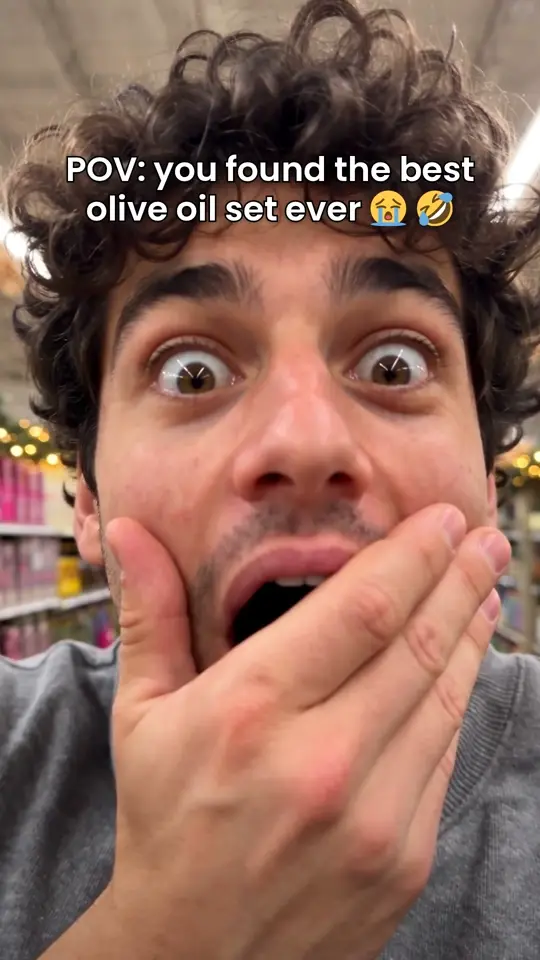
- POV: a short scene from the buyer's point of view, like cooking with a new oil set.
- Skit: a short comedy scene with the product as the punchline.
- Talking video: a presenter explains why the product is worth it, in a UGC style.
How to avoid posting the same products and hooks again and again
To keep a feed fresh, rotate through your whole catalog on purpose and give every post a new hook. Most stores slide into posting their two best sellers over and over, and followers stop noticing. A simple rotation sheet plus a hook list fixes this, with or without any tool.
Build the rotation sheet once. List every product you want to promote with columns for group (best seller, new arrival, underrated, bundle, seasonal), the date you last featured it and the hook you used. Each day, pick the product with the oldest date, and bring best sellers back every week or two with a fresh angle rather than every day. A product you haven't shown in a month is new to most of your audience.
Then write a hook list of a dozen or so opening types and cycle through them, so the same product never opens the same way twice. The list below is a starting set.
For Shopify stores, Bravio reads the catalog and best sellers and rotates products, so each day features a different item with a new hook without a sheet to maintain.
- Problem: tired of olive oil that tastes flat?
- Surprise: the detail people don't expect from this product.
- Comparison: this one next to the usual option.
- How-to: three ways to use it this week.
- Gift idea: who this is the right present for.
- Price per use: what it costs per wear, wash or meal.
- Customer question: the question buyers ask most, answered.
- Store find or POV: the product discovered in a real moment.
How often should an online store post, and what does a daily set look like?
Posting once a day is a strong target for an online store, as long as you can keep the quality up. If daily isn't realistic, three to five posts a week is a workable minimum. Consistency over months matters more than any single viral post.
A daily set doesn't mean making something new for every platform. Make one set and adapt it: the vertical video goes to Reels, TikTok and Shorts, the images go to the Instagram feed, Pinterest and TikTok photo posts, and the carousel goes to Instagram and TikTok, plus LinkedIn if you sell there. Each platform gets its own caption and hashtags, because caption length limits and style differ. You can check lengths with the free caption length checker.
Accuracy matters as much as volume. Only claim what your product pages say, and use real product photos so the item people receive matches what they saw.
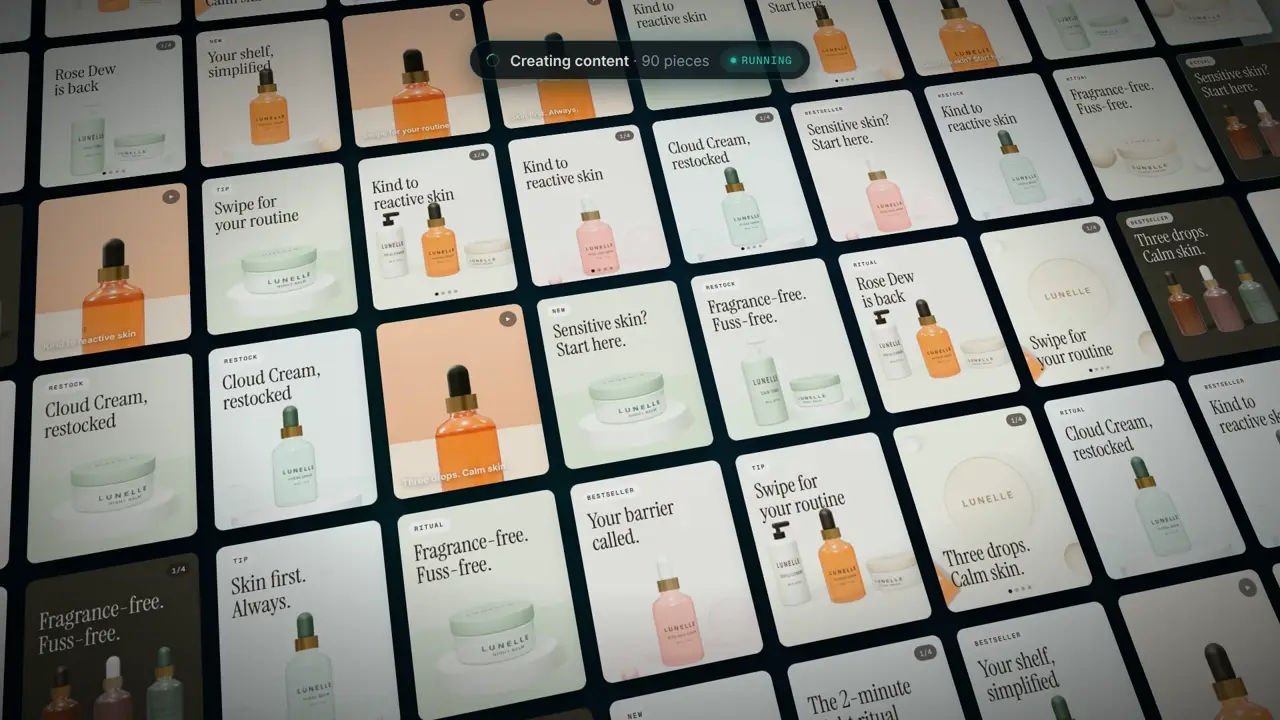
As one reference for what a full day can hold, a Bravio daily set breaks down like this.
- Two product images built from the store's real product photos.
- One four-slide carousel.
- One short vertical video with captions, music and sound effects: every day on Growth and Agency, 12 a month (about three a week) on Starter, none on Lite.
- A caption and hashtags written for each platform, plus a first comment from the brand.
How to turn comments into traffic and trust
Keyword DMs turn comments into link clicks: you ask viewers to comment a word, and everyone who does gets your product link in a direct message. On Instagram this matters because a link typed into a regular post caption generally can't be tapped. Replying to comments and sharing customer content then turns that attention into trust.
The setup is simple. End a Reel or carousel with a line like comment GLOW for the link, then send the link to each commenter. A short DM template works well: Thanks for asking! Here's the [product name]: [tagged link]. It's the one from the video, and it ships in [shipping time]. On a small account you can do this by hand, but it gets slow fast, and replies that arrive a day late lose buyers. Bravio's Instagram auto-DMs handle it automatically: posts that ask for a keyword are watched for about a week, and each commenter gets the store's link in the language of the post.
Trust comes from visible proof that real people buy and like your products. Answer questions about sizing, shipping and ingredients quickly, because other buyers read those threads, and add a first comment with details that didn't fit in the caption. Ask buyers to tag you, repost their photos with credit, and never invent reviews or testimonials.
Whatever tool you use, follow these rules for keyword DMs.
- Use one short, easy keyword per post, tied to the product.
- Send people straight to the product page, not the home page.
- Keep the DM short: a thank-you, the link and one line about the product.
- Tag the link with UTM parameters so you can see these visits in your store analytics.
Is AI-generated content allowed on TikTok, Instagram and YouTube?
Yes, AI-generated content is allowed on TikTok, Instagram, Facebook and YouTube, but realistic AI media has to be disclosed. Each platform asks creators to label content that looks real but was made or significantly altered with AI. Labeled AI content follows the same rules as any other post.
TikTok's AI-generated content rules ask creators to label content that shows realistic scenes or people made or heavily edited with AI. YouTube's disclosure policy asks creators to tell viewers when realistic content is altered or synthetic. On Instagram and Facebook, Meta says it requires people to use its AI disclosure tool when they post photorealistic video or realistic-sounding audio that was digitally created or altered, and that it may apply penalties if they don't. Meta also adds AI labels itself when it detects industry signals that an image was made with AI.
A label tells viewers how the content was made; the real risk is misleading content. Fake reviews, fake results or products that look different from what ships can break platform rules and consumer protection law. Bravio sets the AI label when it posts to TikTok and YouTube, and it builds product images from your real photos so items look the way they do in real life.
A simple 30-day plan to get started
In 30 days, a store can go from an empty or irregular feed to a steady daily routine with a clear picture of what works. Spend week one on setup, weeks two and three on daily posting, and week four on reviewing and adjusting. Keep the plan simple enough to continue in month two.
To see what a month of content can look like before you start, browse the Bravio examples. The week-by-week plan follows.
- Week 1: choose two or three platforms, update bios and links, connect your catalog to shopping features where available, and build your rotation sheet and hook list.
- Week 2: post one set a day, feature a different product each day, and add a comment keyword to at least three posts.
- Week 3: keep posting daily, reply to every comment within a day, and repost any customer content you've received with permission.
- Week 4: review clicks, saves and orders by post, repeat the top three products with new hooks, and drop the formats that bring nothing.
- Day 30: decide whether to keep doing it by hand, automate, or put ad budget behind your best organic posts.
Go deeper
Questions
- What is the best social media platform for ecommerce?
- Instagram is the best starting point for most online stores because it combines Reels, carousels, shopping tags and DMs. Add TikTok for products that look good in motion, or Pinterest for visual products people plan to buy.
- How often should an ecommerce store post on social media?
- Once a day is a strong target if you can keep quality up, with three to five posts a week as a workable minimum. Consistency over several months matters more than any single post.
- Should a new online store start with organic posts or paid ads?
- Start with organic posts, because they cost time rather than ad budget and show which products and hooks people respond to. Put ad money behind the organic posts that already bring clicks and sales.
- How do I stop posting the same products on social media?
- Keep a rotation sheet with every product, its group and the date you last featured it, and post the one with the oldest date each day. Bring best sellers back every week or two with a new hook instead of posting them daily.
- How much does daily social media content cost for a small store?
- Doing it yourself costs little cash but at least an hour a day by a rough estimate, while freelancers and agencies vary widely in price. As one tool reference, Bravio's plans for one brand cost $49 to $199 a month, with a free website scan and brand profile before you pay.
- Do I have to label AI-generated content on social media?
- Yes, for realistic content made or significantly altered with AI. TikTok and YouTube ask creators to label it, and Meta requires a disclosure on Instagram and Facebook for photorealistic video or realistic-sounding audio that was digitally created or altered.